BUY PHONES IN BULK
Should You Buy an iPhone XR in 2026? Full Review
The iPhone XR launched in October 2018 as Apple’s lower-cost option alongside the premium iPhone...
Learn More

 May 20, 2026
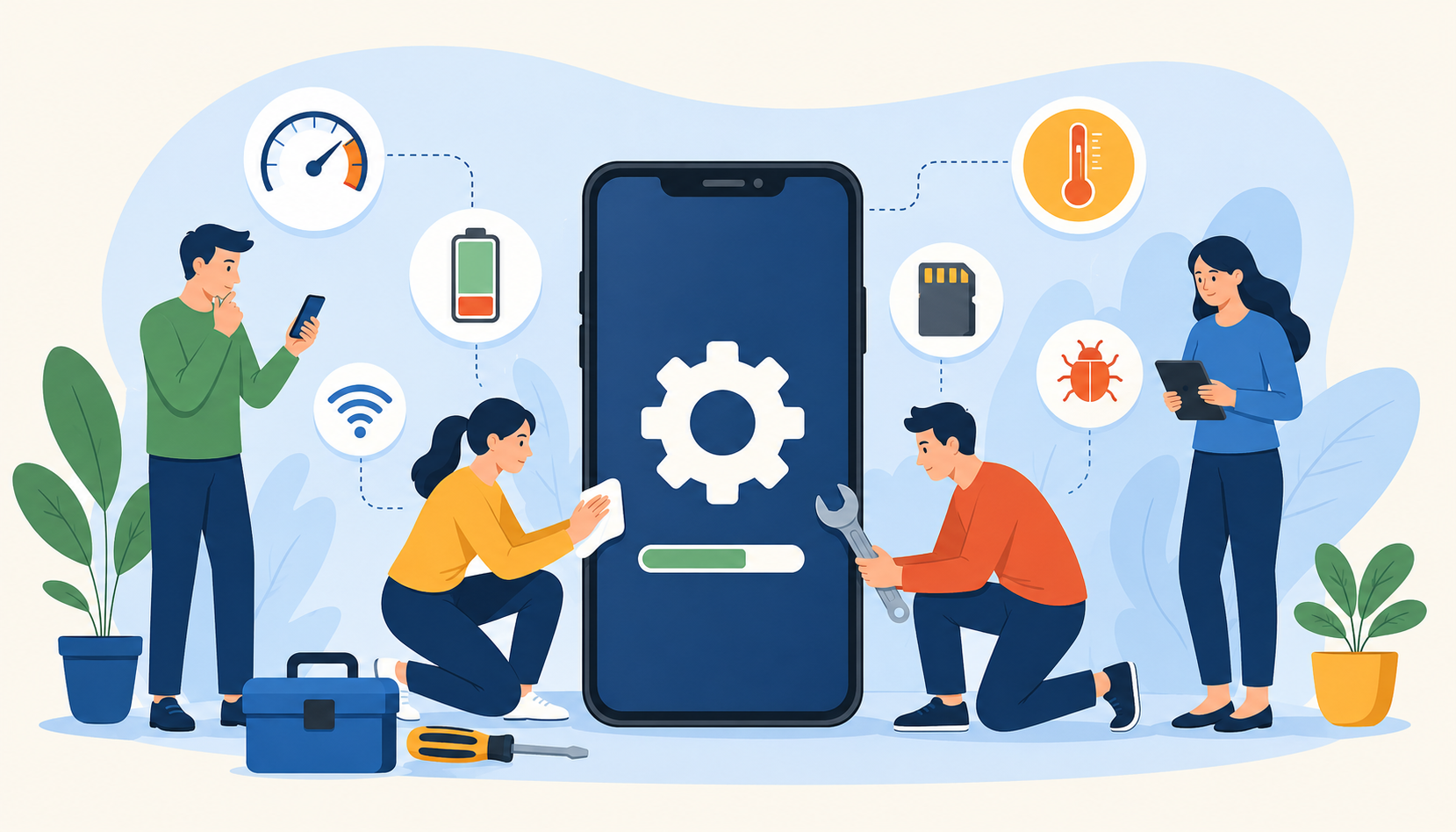
Smartphones have become part of everyday life. We use them for work, entertainment, communication, banking, navigation, and almost everything in between. Whether you own an Android device or an iPhone, dealing with occasional smartphone problems is unavoidable.
Over time, even high-end phones can start slowing down, overheating, crashing, or running out of storage. The good news is that many of these issues can be fixed without immediately replacing your device or visiting a repair center.
Understanding the most common smartphone issues and how to troubleshoot them can help extend your phone’s lifespan, improve performance, and save money. If you have already dealt with frustrating glitches or performance drops, you are definitely not alone.
For users dealing with Apple-specific problems, many of the same troubleshooting methods also apply alongside these practical ways to fix common iPhone performance and software issues.
Smartphones are compact devices that constantly multitask behind the scenes. Apps update regularly, operating systems become more demanding, and files continue piling up daily.
Several factors contribute to smartphone problems, including:
Limited storage space
Outdated software
Background apps consuming resources
Battery wear and tear
Overheating from heavy usage
Malware or buggy applications
Aging hardware components
The older a phone becomes, the more noticeable these issues tend to be. Fortunately, basic troubleshooting can often restore performance and stability.
One of the most common smartphone complaints is sluggish performance. Apps may take longer to open, animations may stutter, and switching between tasks can feel frustratingly slow.
As smartphones age, storage fills up and apps consume more memory. Temporary files, cached data, and background processes gradually reduce performance.
Common causes include:
Too many installed apps
Insufficient free storage
Outdated operating systems
Excessive background activity
Malware or poorly optimized apps
Improving performance usually starts with basic cleanup and optimization.
Many users install apps they rarely use. These apps continue consuming storage and system resources in the background.
Remove:
Unused games
Duplicate utility apps
Old social media apps
Unnecessary widgets
Cached files help apps load faster temporarily, but excessive cache buildup can slow down devices over time.
Go to your phone’s settings and clear cached app data periodically.
Restarting clears temporary memory usage and refreshes background processes. A simple reboot can noticeably improve performance.
Manufacturers release updates that improve stability, security, and speed. Running outdated software can lead to lag and compatibility issues.
Phones need available storage to function properly. Try keeping at least 15–20% of storage free for smoother performance.
Battery problems are among the most frustrating smartphone issues. Some phones lose power quickly even when barely being used.
Battery life decreases naturally over time, but several settings and apps can worsen the issue.
These include:
High screen brightness
Constant GPS usage
Background app refresh
Streaming apps
Poor signal strength
Excessive notifications
Battery-intensive games
The display is one of the largest battery consumers. Reducing brightness or enabling adaptive brightness can significantly extend battery life.
Most smartphones include built-in battery optimization settings that reduce background activity and improve efficiency.
Turn off:
Bluetooth
GPS
Wi-Fi scanning
NFC
AirDrop or Nearby Share when not in use
Both Android and iPhone devices allow you to monitor which apps consume the most power.
Remove or restrict apps draining excessive battery resources.
If your phone battery health has significantly declined, replacing the battery may restore normal performance.
Storage problems affect millions of smartphone users, especially those who frequently take photos and videos.
Low storage can lead to:
Slower performance
Failed app updates
Camera issues
App crashes
Inability to download files
Modern media files are much larger than before. High-resolution photos, 4K videos, downloaded content, and cached app data consume enormous amounts of space.
Media files often occupy the largest portion of smartphone storage.
Delete:
Duplicate screenshots
Old downloads
Blurry photos
Unused videos
Cloud services help reduce local storage usage while keeping files accessible across devices.
Moving large media collections to cloud storage can dramatically improve available space.
Check your Downloads folder regularly for:
PDFs
ZIP files
Old installers
Shared documents
Messaging apps can quietly accumulate gigabytes of photos, videos, and voice notes.
Some apps occupy several gigabytes of storage. Removing apps you no longer need can immediately free up space.
App crashes can interrupt productivity, gaming, streaming, and communication. Frequent crashing usually points to software conflicts or insufficient resources.
Common causes include:
Corrupted app data
Outdated apps
Low storage space
Software bugs
Incompatible updates
Insufficient RAM
Developers regularly release fixes for bugs and compatibility issues.
Always install the latest version of apps.
Closing and reopening an app can temporarily resolve freezing or crashing behavior.
Corrupted app files can trigger repeated crashes. Clearing app storage often resolves the issue.
Deleting and reinstalling problematic apps removes corrupted files and restores clean installation data.
A reboot clears temporary memory conflicts and can stabilize applications.
Overheating is another common issue, especially during gaming, video streaming, or charging.
Smartphones naturally generate heat during operation, but excessive temperatures may signal deeper problems.
Typical causes include:
Heavy gaming
Prolonged video recording
Charging while using the phone
Background apps
Malware
Hot weather exposure
Using power-intensive apps while charging creates additional heat stress on the battery and processor.
Too many active processes can overwork the CPU and generate heat.
Some protective cases trap heat during gaming or charging.
Leaving phones in hot cars or under direct sunlight can quickly overheat internal components.
Low-quality chargers may cause unstable power delivery and overheating issues.
Charging issues can make phones unreliable and frustrating to use.
Users often experience:
Slow charging
Intermittent charging
Charging cable disconnects
Battery percentage stuck
No charging response
Dust and debris inside charging ports can block proper cable connection.
Use a soft brush or compressed air carefully.
Charging cables wear out over time. Frayed or bent cables often cause inconsistent charging.
The issue may come from the wall adapter rather than the phone itself.
Software glitches occasionally interfere with charging detection.
Some smartphones disable charging temporarily if moisture is detected in the charging port.
Weak Wi-Fi, Bluetooth failures, and mobile data issues can affect daily smartphone use.
Bluetooth pairing failures
Weak cellular signal
Slow internet speeds
Turning airplane mode on and off refreshes wireless connections.
Internet problems may originate from the network rather than the phone itself.
Removing saved Wi-Fi networks and reconnecting can resolve authentication issues.
Most smartphones allow network settings to be reset without deleting personal data.
Occasional glitches are normal, but recurring software bugs can affect usability.
Frozen screens
Random restarts
Touchscreen delays
Notification problems
Camera failures
Manufacturers release patches to fix bugs and improve stability.
If problems started after installing a new app, it may be causing conflicts.
A factory reset should be a last resort but can resolve persistent software issues.
Always back up important data before resetting your device.
Some problems go beyond basic troubleshooting.
You may need professional repair if your phone experiences:
Swollen battery
Physical water damage
Cracked motherboard
Persistent overheating
Black screen failures
Charging port damage
Severe battery degradation
Ignoring hardware issues can worsen the damage over time.
Preventive maintenance can help avoid many common smartphone problems.
Regular updates improve security, stability, and performance.
Download apps only from official app stores to reduce malware risks.
This simple habit helps clear memory leaks and refresh system processes.
Quality cases and screen protectors reduce physical damage risks.
Avoid exposing your phone to extreme temperatures and excessive charging cycles.
Smartphone problems are common, but many of them are surprisingly easy to fix. Slow performance, battery drain, overheating, app crashes, and storage issues often develop gradually and can usually be improved with simple troubleshooting steps.
Learning how to maintain your smartphone properly not only improves daily performance but can also extend the life of your device for years. Regular updates, storage management, and battery optimization go a long way toward keeping your phone reliable.
If your device continues experiencing severe issues despite troubleshooting, it may be time to seek professional repair or consider upgrading to a newer model.
Smartphones often slow down because of low storage space, too many background apps, outdated software, or excessive cached data.
Lower screen brightness, enable battery saver mode, disable unused features like Bluetooth and GPS, and remove apps draining excessive power.
Using your phone heavily while charging generates extra heat. Faulty chargers, background apps, or poor ventilation can also contribute to overheating.
Update the app, clear app cache and data, restart your phone, or reinstall the application completely.
Keeping at least 15–20% of your storage free helps smartphones run more efficiently and prevents performance issues.
Some cache cleaner apps are safe, but many are unnecessary. Most smartphones already include built-in storage and optimization tools.

Telecom Lead Management: Follow Up Without Losing Sales
Oct 19, 2026

Franchise Law Basics: What Every Owner Should Know
Oct 16, 2026

How Cox Business Products Help Dealers Drive Growth
Oct 15, 2026

7 Reasons to Become a Vivint Authorized Reseller
Oct 14, 2026

Why Become an Internet Provider Dealer? 7 Key Benefits
Oct 13, 2026

24
Jul, 2026
BUY PHONES IN BULK
The iPhone XR launched in October 2018 as Apple’s lower-cost option alongside the premium iPhone...

10
Apr, 2026
MOBILITY
Finding the right iPhone wholesale partner can make or break your business. With demand for...

13
Feb, 2026
MOBILITY
If you’re using a prepaid mobile plan, you already know how quickly data can disappear....