SPECTRUM INTERNET
Spectrum TV Choice Plan: Channels, Benefits & Dealer Guide (Updated)
Choosing the right TV package has become more important than ever as customers look for...
Learn More

 May 26, 2026
Setting up internet service at home no longer requires waiting around for a technician appointment. Many Spectrum customers now choose self-installation because it is faster, more convenient, and easy to complete with basic equipment included in the installation kit.
Whether you are moving into a new home, upgrading your internet service, or reconnecting service after a relocation, understanding how to self-install Spectrum Internet and WiFi can help you get online quickly without unnecessary delays.
Spectrum internet plans offer speeds ranging from 100 Mbps to gig-level connections in select areas, making them suitable for streaming, remote work, gaming, smart home devices, and everyday browsing. Customers who want a simple setup process often choose self-installation because it gives them more flexibility and control over when the service is activated.
Self-installation has become increasingly popular because it removes the need for an in-home technician visit in many situations. The process is designed for customers who already have an active Spectrum-compatible cable outlet inside the property.
Instead of scheduling an appointment, customers receive a self-installation kit containing the equipment and instructions needed to complete the setup on their own schedule.
Some of the biggest advantages include:
Faster internet activation
Flexible installation timing
Reduced setup costs
Easier relocation setup
Less waiting for technician availability
For customers comfortable connecting cables and following simple instructions, the process is usually straightforward.
Before beginning the setup, it is important to confirm that all required equipment is included inside the package.
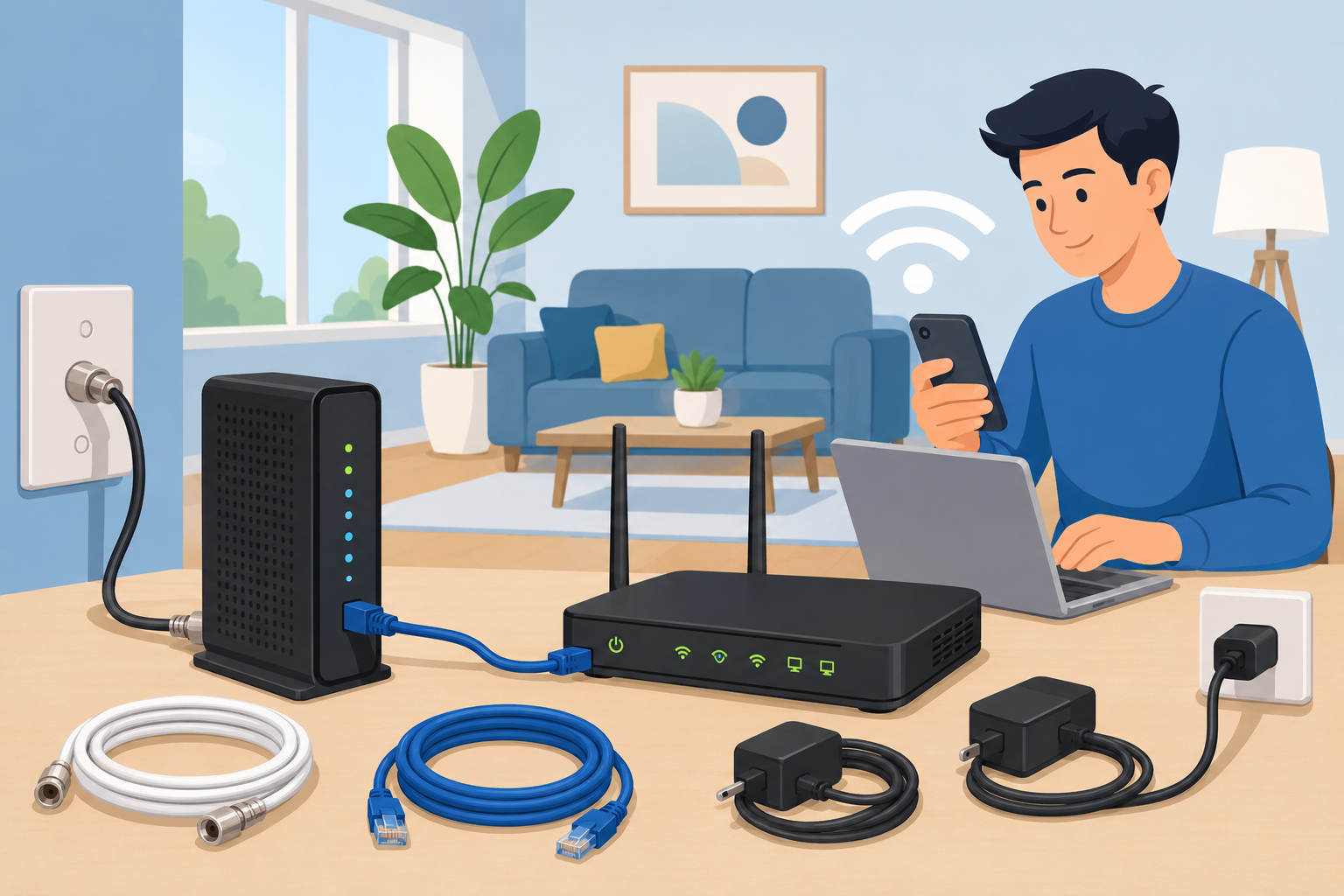
A typical Spectrum self-installation kit includes:
Equipment
Purpose
Modem
Connects your home to the internet service
WiFi Router
Broadcasts wireless internet throughout the home
Coaxial Cable
Connects the modem to the wall outlet
Ethernet Cable
Connects the modem to the router
Power Adapters
Powers the modem and router
Installation Guide
Provides setup instructions

If anything is missing, damaged, or incorrectly packaged, contact Spectrum support before starting the installation.
A smooth installation usually depends on preparing the setup area ahead of time.
Locate the coaxial cable outlet where the modem will be installed. Make sure the connection is secure and free from visible damage.
If your home has multiple cable outlets, some may not be active. Testing a different outlet may help if the modem does not connect successfully during activation.
Router placement plays a major role in wireless signal strength and overall internet performance.
For the best coverage:
Place the router near the center of the home
Keep it elevated off the floor
Avoid enclosed cabinets or drawers
Keep it away from microwaves and large metal objects
Avoid placing it beside thick concrete walls
Once the equipment is ready and the installation area is prepared, you can begin setting up the service.
Start by connecting one end of the coaxial cable to the wall outlet.
Then connect the other end to the modem’s cable input port.
Make sure the cable is firmly tightened on both sides to avoid signal interruptions.
Connect the modem power adapter to the modem and plug it into a nearby electrical outlet.
The modem will begin booting automatically.
This process usually takes between 3 and 5 minutes. During startup, indicator lights on the front panel may blink while the modem searches for a network connection.
Once the online status light becomes solid, the modem has successfully connected to Spectrum’s network.
After the modem is fully online, connect the Ethernet cable to the modem’s Ethernet port.
Connect the other end to the router’s WAN or Internet port.
Then plug the router into power and wait for it to initialize completely.
Most routers display a solid light once the WiFi network becomes active.
Locate the default WiFi network name and password printed on the router label.
Using your smartphone, tablet, or computer:
Open WiFi settings
Find the network name
Enter the password
Connect to the network
Once connected, open a web browser.
In most cases, Spectrum automatically redirects users to the activation page.
Follow the on-screen activation instructions provided by Spectrum.
You may need:
Your Spectrum account information
Activation code
Modem details
Account login credentials
After completing activation, the internet connection should become fully operational within several minutes.
Once the service is active, changing the default wireless settings is strongly recommended.
Updating the network name makes it easier to identify your connection among nearby networks.
Choose a name that is simple but recognizable.
Use a secure password containing:
Uppercase letters
Lowercase letters
Numbers
Special characters
Avoid using easily guessed information like birthdays or addresses.
Most Spectrum routers support WPA2 or WPA3 wireless encryption.
Always enable the highest available security setting to help protect your home network from unauthorized access.
While many installations go smoothly, some users may encounter activation or connectivity issues during setup.
If the modem remains offline:
Restart the modem
Recheck all cable connections
Test another cable outlet
Wait several additional minutes for synchronization
Sometimes newly activated accounts may require additional provisioning time.
Weak wireless coverage often happens because of poor router placement.
Try relocating the router to a more central location away from obstructions.
Large homes may also benefit from WiFi extenders or mesh networking systems.
If the browser does not redirect automatically:
Restart your device
Clear browser cache
Open a different browser
Verify the modem is fully online
Internet speed can vary based on:
Router placement
Device limitations
Network congestion
Background downloads
Outdated equipment
Spectrum allows customers to use compatible third-party routers in many cases.
Using your own router may provide:
Better wireless coverage
More advanced network controls
Improved gaming features
Enhanced parental controls
Stronger security settings
However, compatibility varies depending on the modem and internet package.
Before replacing Spectrum equipment, confirm compatibility with your current service plan.
Although self-installation works for many homes, some situations may still require a technician visit.
This may include:
No active cable outlets
Damaged wiring
New construction properties
Signal issues outside the home
Multi-unit property complications
In those cases, Spectrum may schedule a professional technician to complete the installation safely.
Once your internet is active, a few adjustments can improve long-term performance.
Firmware updates improve stability, security, and overall performance.
Most modern routers update automatically, but manual checks may still be useful.
Restarting the modem and router periodically can help refresh network connections and improve stability.
Household electronics, mirrors, thick walls, and neighboring networks can all affect wireless performance.
Relocating the router even a few feet can sometimes improve signal quality significantly.
Both installation methods have advantages depending on the customer’s situation.
| Self-Installation | Professional Installation |
|---|---|
| Faster setup | Technician handles setup |
| Flexible timing | Helpful for wiring problems |
| Lower installation costs | Less customer involvement |
| Good for existing cable-ready homes | Better for complex installations |
For most cable-ready homes, self-installation is usually the quicker and simpler option.
Learning how to self-install Spectrum Internet and WiFi is much easier than many customers expect. With the proper equipment and a working cable outlet, most installations can be completed in under an hour.
The process mainly involves connecting the modem, linking the router, activating the service, and customizing your network settings. Once completed, you can immediately begin using your internet connection for streaming, work, gaming, video calls, and smart home devices.
A properly placed router, secure password, and updated equipment can also improve long-term wireless performance and reliability throughout the home.
Yes. Many Spectrum customers can complete installation themselves if the home already has an active cable outlet and compatible service setup.
Most installations take between 20 and 60 minutes depending on equipment setup and activation time.
Spectrum may charge a small self-installation activation fee depending on the service plan and account setup.
Yes. Spectrum generally supports compatible third-party routers, although compatibility may vary by internet package.
Blinking lights usually indicate the modem is attempting to establish a connection with Spectrum’s network.
The best location is usually near the center of the home in an open elevated area away from thick walls and electronic interference.

Telecom Lead Management: Follow Up Without Losing Sales
Oct 19, 2026

Franchise Law Basics: What Every Owner Should Know
Oct 16, 2026

How Cox Business Products Help Dealers Drive Growth
Oct 15, 2026

7 Reasons to Become a Vivint Authorized Reseller
Oct 14, 2026

Why Become an Internet Provider Dealer? 7 Key Benefits
Oct 13, 2026


30
Jun, 2026
SPECTRUM INTERNET
Choosing the right TV package has become more important than ever as customers look for...

18
Jun, 2026
SPECTRUM INTERNET
Ever considered boosting your business by partnering with a major telecommunications provider? Becoming a Spectrum...

11
Aug, 2025
SPECTRUM INTERNET
If you’ve been shopping around for a mobile plan in 2025, chances are Spectrum Mobile...